Create a Resume Link You Can Share Anywhere
Make your resume easier to access with a shareable online link. Give recruiters a convenient way to view your professional profile without relying only on PDF attachments.
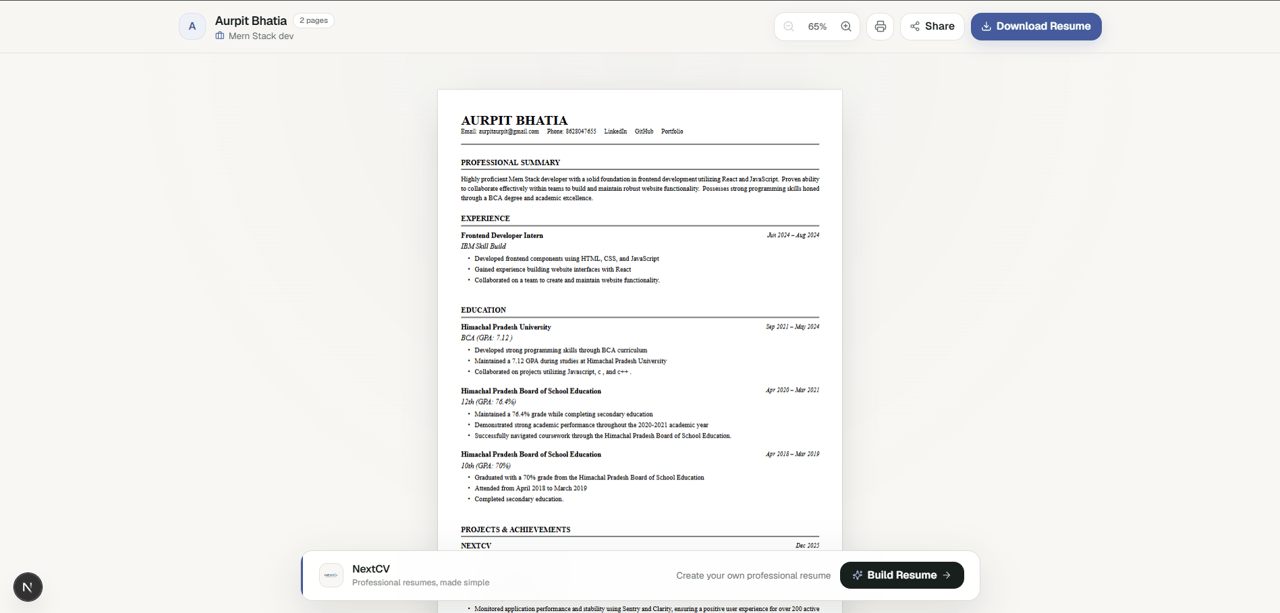
Why Use a Resume Link?
Resume Link vs. PDF Attachment
A shareable resume link complements your downloadable PDF. Each format is useful in different situations.
Traditional PDF Resume
- •Useful for formal applications and employers that require a PDF.
- •Can be downloaded, stored, and attached to job applications.
- •Previously sent copies do not automatically reflect later changes to your resume.
NextCV Shareable Resume Link
- Convenient to open from a supported mobile or desktop browser.
- Easy to include in LinkedIn profiles, WhatsApp messages, and email introductions.
- Sharing controls help you manage access to your public resume.
Simple Sharing Process
How to Create and Share Your Resume Link
Create your resume, generate a shareable link, and send it to recruiters. Manage your sharing preferences through the available controls in your dashboard.
Create Your Resume
Add your contact information, professional summary, education, skills, experience, and projects to your NextCV resume.
Choose an Eligible Plan
Select a plan that includes resume sharing. Premium and Elite offer sharing features with a one-time payment.
Generate a Shareable URL
Open the sharing option for your eligible resume and follow the instructions to create your public resume link.
Send It to Recruiters
Copy your resume link and include it in LinkedIn messages, WhatsApp conversations, email introductions, and job applications.
Control Your Sharing
Use the available sharing controls to pause public access or delete your resume link when you no longer want to share it.
Sharing & Accessibility
Explore the Online Resume Experience
See how your resume can be shared online and viewed across different devices.
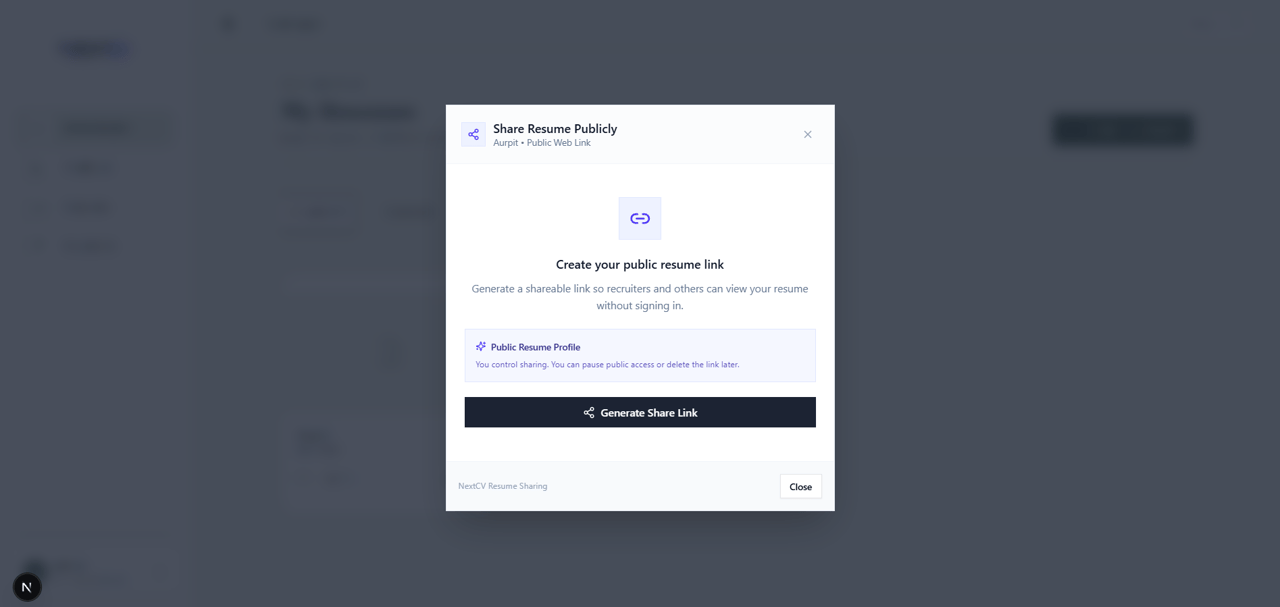
Manage Your Resume Link
Find your shareable URL and use the available controls to manage public access.
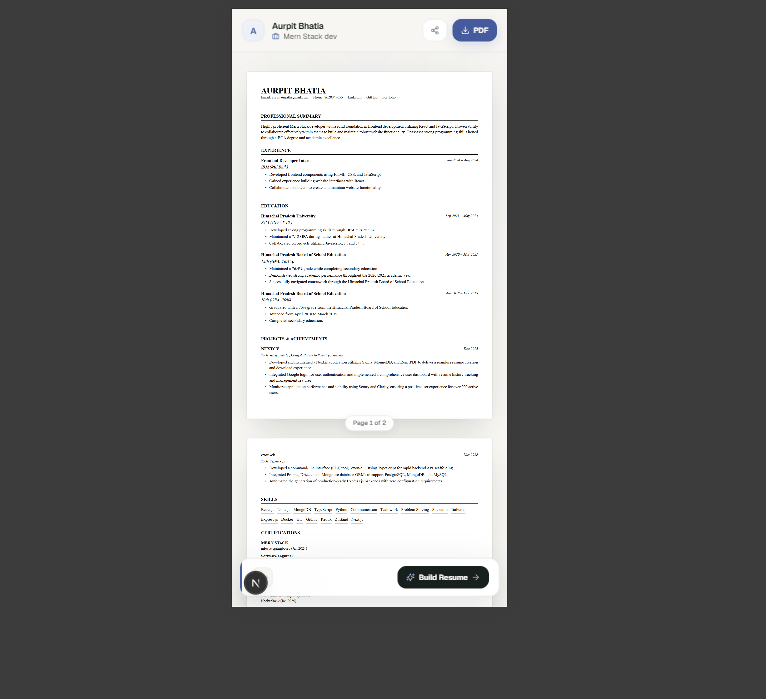
A Convenient Mobile Experience
Help recruiters review your professional information from their phones, tablets, or desktop computers.
Privacy & Access
Understand Your Resume Sharing Settings
Know who can access your public resume and how to manage the information you choose to share.
Public Visibility
Anyone who can access an active public resume link may be able to view the information displayed on the page. Avoid including sensitive personal information that recruiters do not need.
Manage Sharing
Use the available pause or deletion controls to manage your resume link. Check your dashboard to confirm whether sharing is currently active.
Search Engine Visibility
Sharing a public URL does not guarantee Google indexing. Search visibility depends on crawlability, indexing directives, content, and search engine decisions. A public link should not be treated as a private document.
Frequently Asked Questions
Find answers about creating, sharing, and managing your online resume link.
What is a shareable resume link?+
A shareable resume link is a URL that lets people view your resume online. Instead of relying only on a PDF attachment, you can send a link that recruiters and hiring managers can open in their web browser.
How can I create a resume link?+
Create your resume with NextCV, open the sharing option for an eligible resume, and follow the available steps to generate your public link. Once it is ready, copy the link and share it with recruiters.
How do I share my resume with recruiters?+
You can include your resume link in job applications, email introductions, WhatsApp messages, your LinkedIn profile, or your GitHub profile. Keep a PDF version available when an employer specifically requests an attachment.
Can I share my resume on LinkedIn?+
Yes. You can add your resume link to your LinkedIn profile or share it in a message. A public resume page gives people a convenient way to access your professional information from a supported mobile or desktop browser.
Can recruiters view my public resume without an account?+
A public resume link is intended to make your profile accessible to visitors without requiring them to create a NextCV account. Access depends on the resume's current sharing status and the availability of the page.
Is a public resume link private?+
A public resume link is not private. Anyone who can access the active link may be able to view the information displayed on it. Only include information you are comfortable sharing publicly. Use the available sharing controls to pause access or delete your link.
Can I pause or delete my resume link?+
NextCV provides sharing controls for eligible public resumes. Where available, you can pause sharing to restrict public access or delete the link. Review the status displayed in your dashboard to confirm the current state of your resume.
Does NextCV charge for resume sharing?+
Resume sharing is included with eligible Premium and Elite plans, priced at ₹199 and ₹399 respectively as one-time payments. It is not included in the Basic plan priced at ₹49. Check the pricing page for current plan details.
Can my shared resume appear in Google Search?+
A public URL does not guarantee that Google will index your resume. Search visibility depends on factors such as crawlability, indexing directives, content quality, and Google's indexing decisions. A shareable link can still be useful even if it does not appear in search results.
Should I share a resume link or a PDF?+
Both formats are useful. A resume link is convenient for networking and sharing online, while a PDF is often required for formal job applications and applicant tracking systems. Keep your PDF ready whenever an employer requests one.
Connected Product Suite
More tools to advance your career
Explore other features designed to help you land interviews faster.
AI Resume Builder
Build an ATS-ready resume with AI bullet optimization and clean typography.
AI Cover Letter Generator
Generate tailored cover letters tailored to your job description and resume.
Resume-to-Portfolio Builder
Convert your resume data into a modern personal portfolio website.
Make Your Resume Easier to Share
Create a professional resume, generate a shareable online link, and manage public access through the available sharing controls.