Build an ATS-Friendly Resume with AI
Create a professional resume with AI assistance. Organize your experience, improve bullet points, choose a template, and review your resume before downloading.
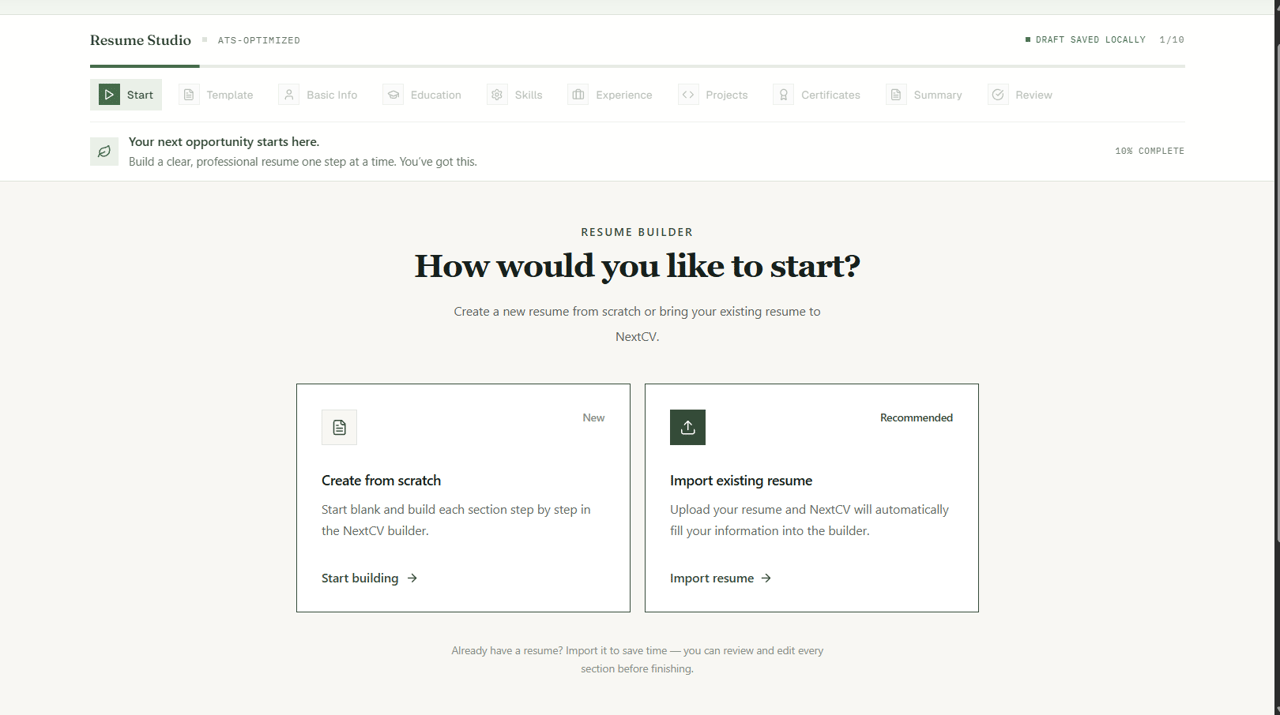
Writer's block and confusing ATS guidelines
Many freshers struggle to write professional bullet points that explain technical coursework or college projects with impact. Using overly complex, multi-column Word documents often results in parsing failures in recruiter systems.
Guided drafting with AI clarity and tested templates
NextCV lets you type rough bullet points and uses AI to refine them with strong action verbs, measurable impact, and clean structure. You review and tweak every line before picking an ATS-optimized template.
Exact Creation Flow
Step-by-step: How to build your resume in NextCV
The exact sequence of steps you navigate inside the NextCV builder—from starting method to final vector PDF download.
Start Method & Template Selection
Choose between starting from scratch or importing an existing PDF/DOCX resume. Select from Basic, Standard, Premium, or Elite ATS layouts.
Contact Info & Target Job Role
Enter your full name, phone number, email address, location, target job title, LinkedIn URL, GitHub profile, and optional target job description.
Degree & Institution History
Add your college or university, degree/major, graduation year range, CGPA or percentage, and optional relevant coursework.
Technical & Professional Skills
Organize your technical proficiencies, frameworks, programming languages, and industry tools into clean, recruiter-scannable tags.
Work History & Internships
List company names, job titles, employment dates, and bullet points. Use built-in AI bullet generation to quantify your team impact.
Academic & Personal Projects
Highlight capstone projects, hackathon prototypes, live links, and tech stacks used (crucial for fresher resumes).
Licenses & Verified Credentials
Add recognized course certifications, issuing organizations, dates completed, and credential URLs.
Professional Summary & Objective
Draft a 2-3 sentence career summary tailored to your target position, with one-click AI summary assistance.
Live PDF Preview & Unlock
Inspect margin spacing, apply coupon code (FIRST20 for 20% off), complete checkout, and download your watermark-free PDF.
Visual Tour
Inside the NextCV Resume Studio
Real components and tools built to make resume preparation straightforward.
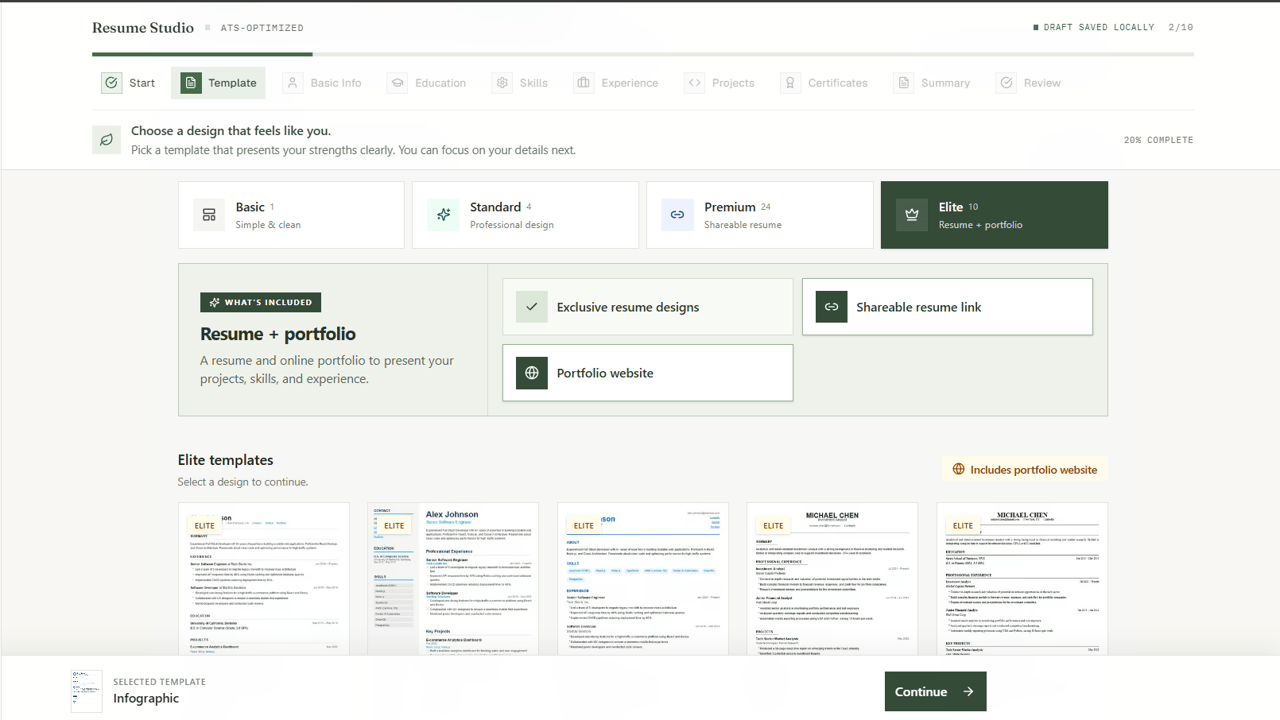
Tailored Template Selection
Filter formats suited for MNC campus placements, software development, data analytics, or non-technical roles.
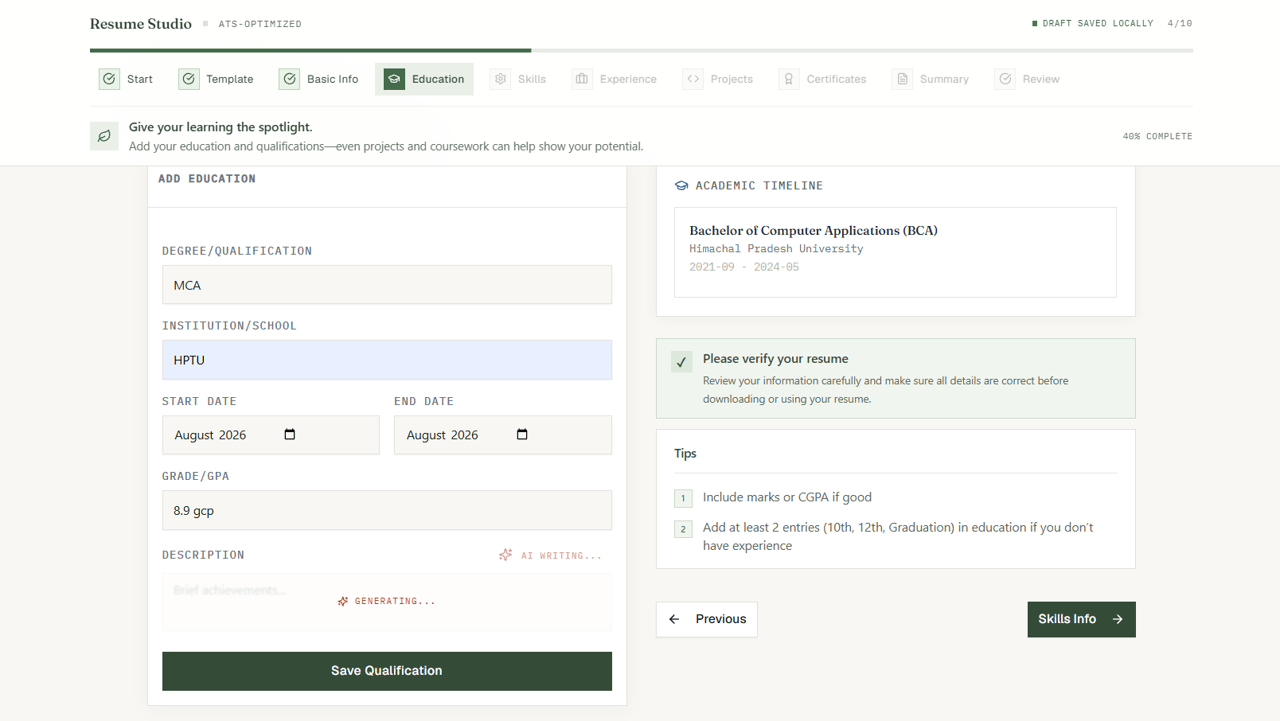
Contextual AI Writing
Turn simple project descriptions into strong, action-oriented bullet points with Gemini AI.
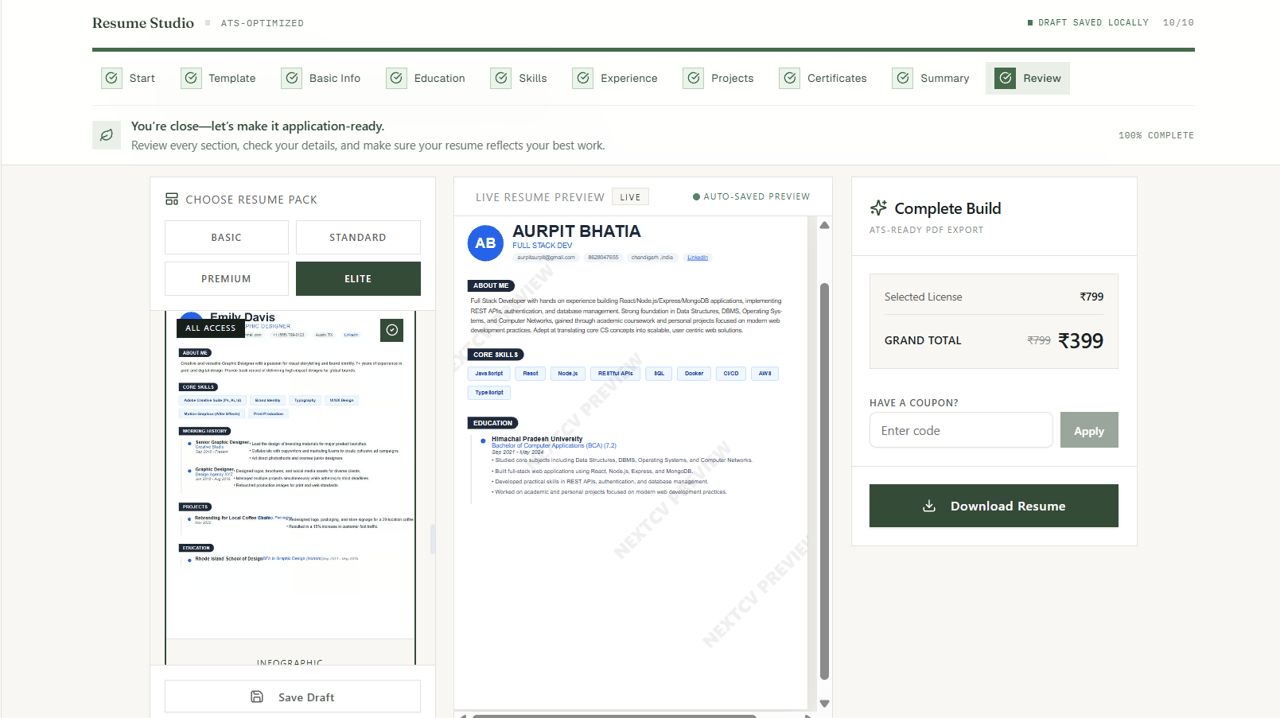
Exact Print & PDF Preview
Review line-by-line formatting to ensure your resume fits naturally onto a single page without accidental spillover.
Audience
Who is NextCV built for?
College Students & Freshers
Structure final year projects, internships, and technical certifications effectively when you have limited full-time experience.
Job Seekers Targeting MNCs
Build clean, ATS-compliant formats standard across Indian tech recruiters like TCS, Infosys, Wipro, and Accenture.
Career Switchers
Use AI bullet assistance to reframe transferable skills and emphasize relevant accomplishments for new industries.
Transparent Pricing
How NextCV pricing works
No recurring credit card charges or recurring subscriptions.
₹49
Single-column ATS format, full editing, high-resolution PDF download.
₹99
Multiple layouts, role-focused styling, AI bullet assistance, PDF download.
₹199
20+ layouts, live public resume link for sharing, AI tools, PDF download.
₹399
Complete suite: resume, sharing link, portfolio website, cover letter generator.
Frequently Asked Questions
Answers about ATS compliance, templates, editing, and pricing.
What is an AI resume builder?+
An AI resume builder is a digital tool that assists you in writing, structuring, and formatting a resume. NextCV pairs Gemini AI writing suggestions for summaries, bullet points, and skills with clean ATS-compliant resume layouts.
How does NextCV help create a resume?+
NextCV guides you step-by-step through entering your contact details, education, technical skills, projects, and work experience. It offers AI suggestions to polish bullet points and gives you instant real-time PDF previews.
Can freshers use NextCV?+
Yes. NextCV is built specifically with freshers and college students in mind. Templates emphasize academic achievements, capstone projects, coding profiles, internships, and technical coursework.
Is the resume builder free?+
Building, editing, structuring, and previewing your resume on NextCV is 100% free. When you are ready to download a high-resolution, watermark-free PDF, one-time payment plans start at ₹49 with no recurring monthly subscriptions.
Can I download my resume as a PDF?+
Yes. Once unlocked through our one-time plans (Basic ₹49, Standard ₹99, Premium ₹199, Elite ₹399), you can download clean, vector-rendered PDFs formatted according to industry standards.
Are the templates ATS-friendly?+
Yes. NextCV templates follow single-column and cleanly segmented multi-column hierarchies that applicant tracking systems and recruiters can parse accurately. Note that no software can guarantee an interview or an ATS score because individual corporate filters vary.
Can I edit my resume after creating it?+
Yes. Your drafts and purchased resumes remain saved in your account dashboard so you can update them as your career advances.
Connected Product Suite
More tools to advance your career
Explore other features designed to help you land interviews faster.
AI Cover Letter Generator
Generate tailored cover letters tailored to your job description and resume.
Shareable Resume Link
Publish your resume online with privacy controls and instant recruiter access.
Resume-to-Portfolio Builder
Convert your resume data into a modern personal portfolio website.
Build your job-ready resume in minutes
Select a template, customize bullet points with Gemini AI, and review your live preview. Pay once only when you want to download.