Generate a Job-Specific Cover Letter with AI
Create a personalized cover letter using your resume, target company, and job description. Review the draft, choose a writing style, and tailor it before applying.
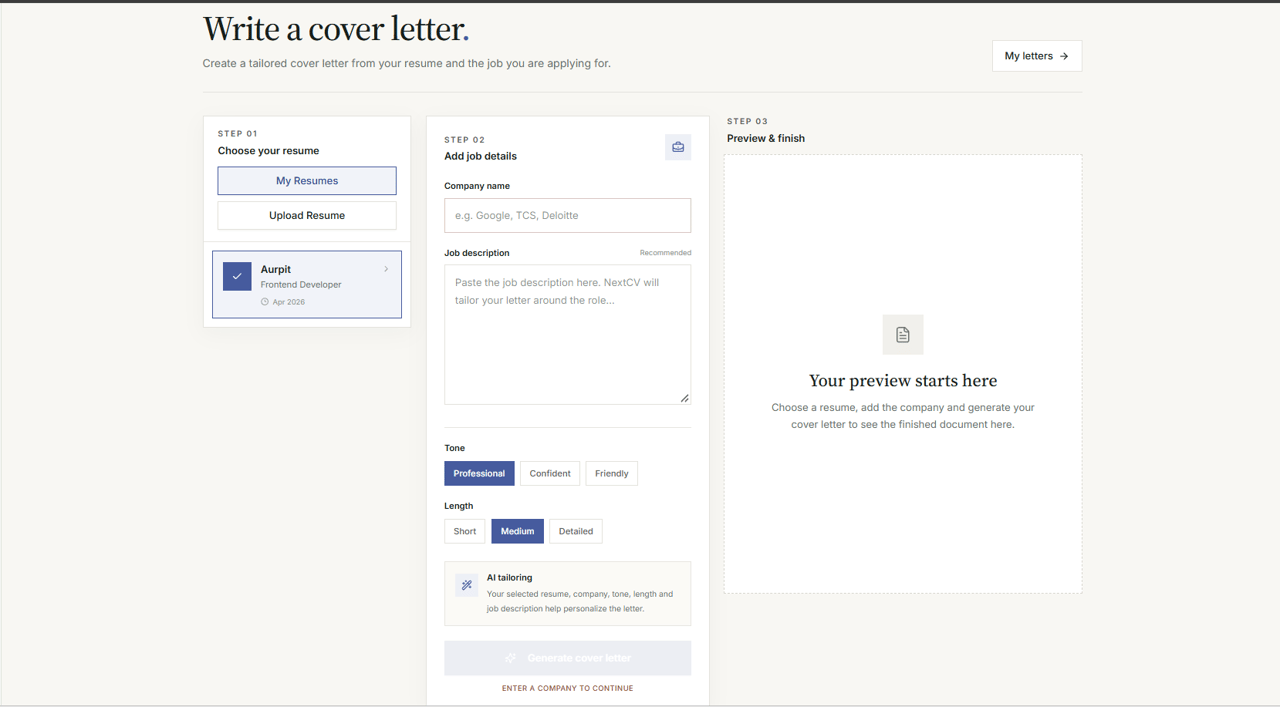
Generic letters get skipped immediately
Sending the same generic template to 50 companies with just the company name changed fails to highlight why your specific experience matters for their open position.
Targeted letters built from your actual resume
NextCV connects the exact technologies and accomplishments in your resume with the responsibilities outlined in the job description, producing a cohesive rationale for your candidacy.
Exact Generation Flow
Step-by-step: How the Cover Letter Studio operates
The exact 4-step workflow implemented in NextCV at /dashboard/cover-letter, powered by Gemini AI and real-time PDF rendering.
Choose Resume Source
Choose between 'My Resumes' (fetches paid resumes via /api/resume/getAllResume) or 'Upload Resume' (supports external .pdf/.docx up to 5 MB parsed via /api/resume/import).
Feeds active resume job role, skills, and experience into the prompt.
Job Details & Tone Selection
Enter the Target Company Name and paste the full Job Description. Select your writing tone (Professional, Enthusiastic, Concise, Confident) and desired length.
Validates company and resume presence before generation.
AI Generation & Realtime Editor
Click 'Generate Cover Letter' to call /api/cover-letter/gen. Inspect the draft in the interactive text editor where you can personalize lines and adjust wording.
Drafts can be saved to your account via /api/cover-letter/savedraft.
Live PDF Preview & Download
Inspect the side-by-side vector PDF preview in real-time. Apply discount coupons (e.g. FIRST20) and download your print-ready PDF letter.
One-click download or save to 'My Cover Letters'.
Interface Overview
Inside the Cover Letter Studio
Inspect input parameters, tone selection, and real-time output controls.
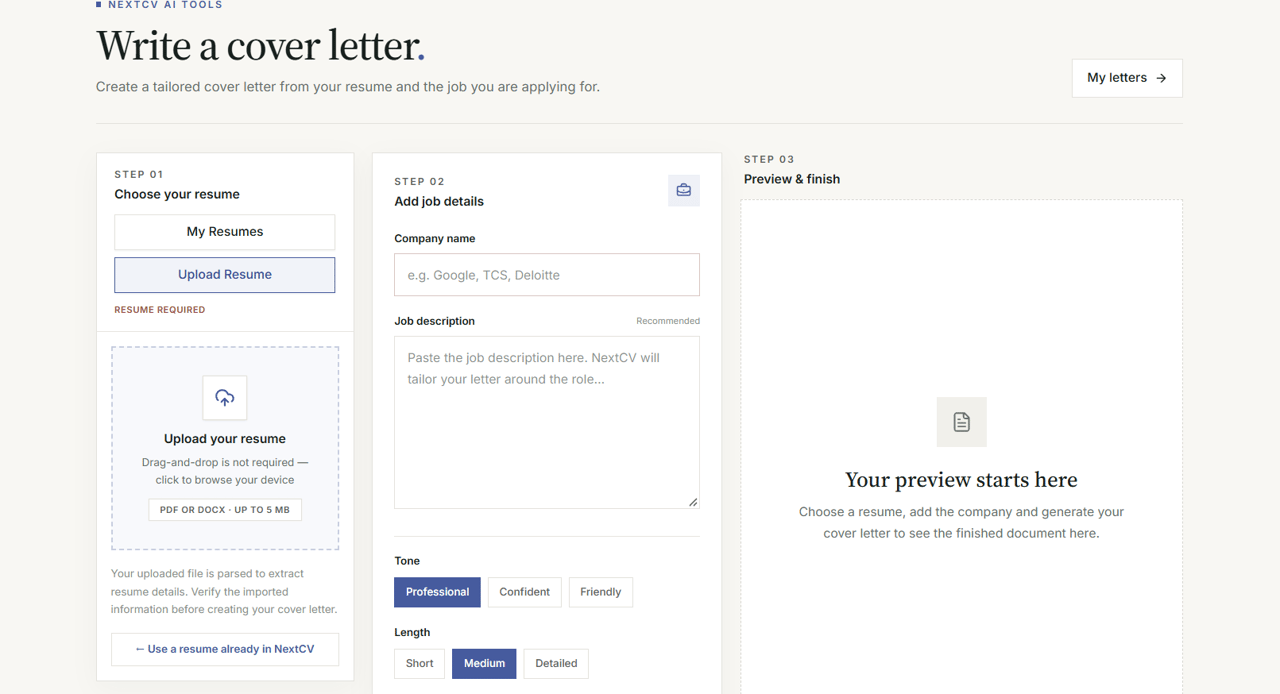
Contextual Input Controls
Flexible resume selection lets you feed either your NextCV dashboard resume or an uploaded file.
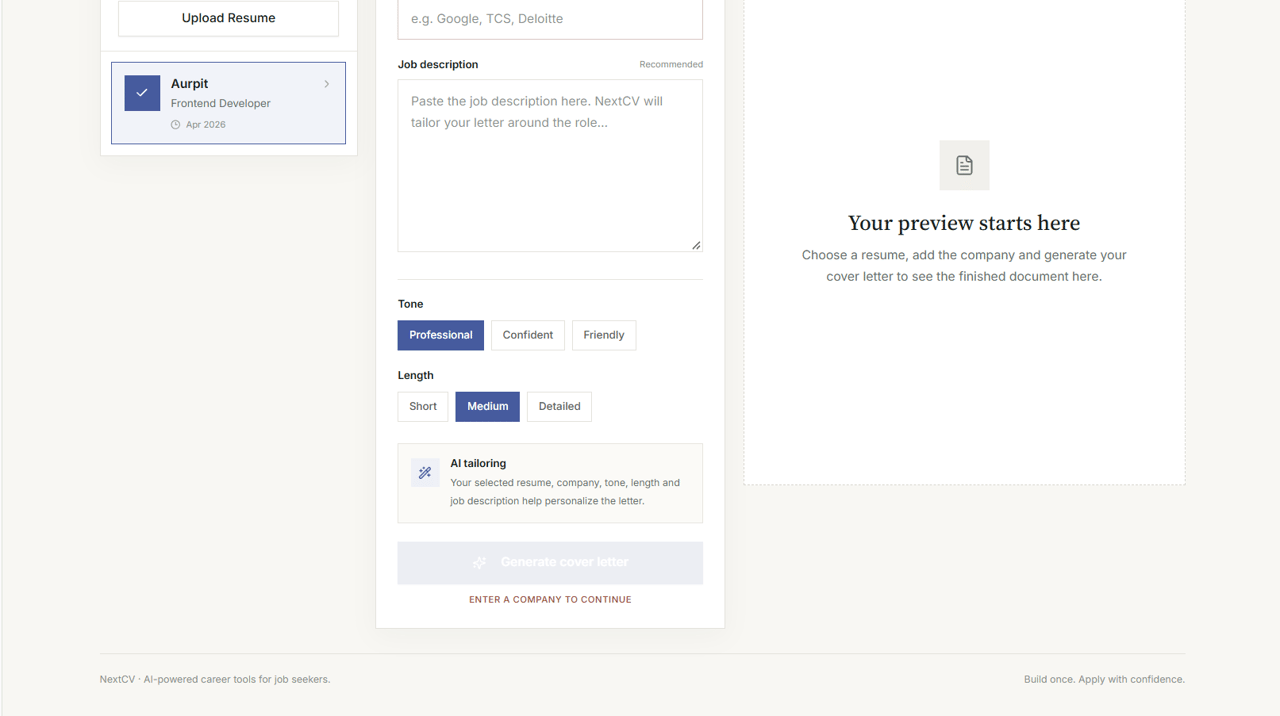
Writing Style Selection
Adapt tone for different industries—from formal banking institutions to agile tech startups.
Pair your cover letter with an ATS Resume
Recruiters appreciate consistency. When your resume bullet points and cover letter narrative reflect the same milestones and technologies, your entire application feels polished.
Elite Bundle Summary
- High-resolution ATS resume PDF download
- AI Cover Letter generator access
- Public resume sharing link
- Online portfolio website builder
Frequently Asked Questions
Details on inputs, privacy, tone selection, and draft editing.
What is an AI cover letter generator?+
An AI cover letter generator analyzes your resume background and matches it against a specific company name and job description to draft a tailored letter explaining why you are a strong fit.
Can NextCV generate a cover letter from my resume?+
Yes. You can select an existing resume saved in your NextCV dashboard or upload an external PDF/DOCX resume (up to 5 MB) directly in the generator tool.
Can I use a job description to personalize a cover letter?+
Yes. Pasting the target company's job description allows the AI model to incorporate relevant technical keywords and match your achievements with their required qualifications.
Can I choose the writing tone?+
Yes. NextCV supports writing styles including Professional, Enthusiastic, Concise, and Confident to suit corporate MNC roles, modern startups, or academic applications.
Can I edit the generated cover letter?+
Yes. You have full control to edit paragraphs, add personal anecdotes, alter salutations, and customize bullet points before finalizing.
Is the AI cover letter generator free?+
You can draft and review cover letters in the builder. Cover letter creation and downloads are included with the Elite plan or available through the cover letter tool.
Should I review an AI-generated cover letter before sending it?+
Always. AI provides a strong first draft, but reviewing the letter ensures accurate details about your personal motivations, projects, and specific interest in the employer.
Connected Product Suite
More tools to advance your career
Explore other features designed to help you land interviews faster.
AI Resume Builder
Build an ATS-ready resume with AI bullet optimization and clean typography.
Shareable Resume Link
Publish your resume online with privacy controls and instant recruiter access.
Resume-to-Portfolio Builder
Convert your resume data into a modern personal portfolio website.
Draft your next cover letter in minutes
Stop sending identical generic letters. Match your real experience with company job descriptions using NextCV.